# 五、账号管理

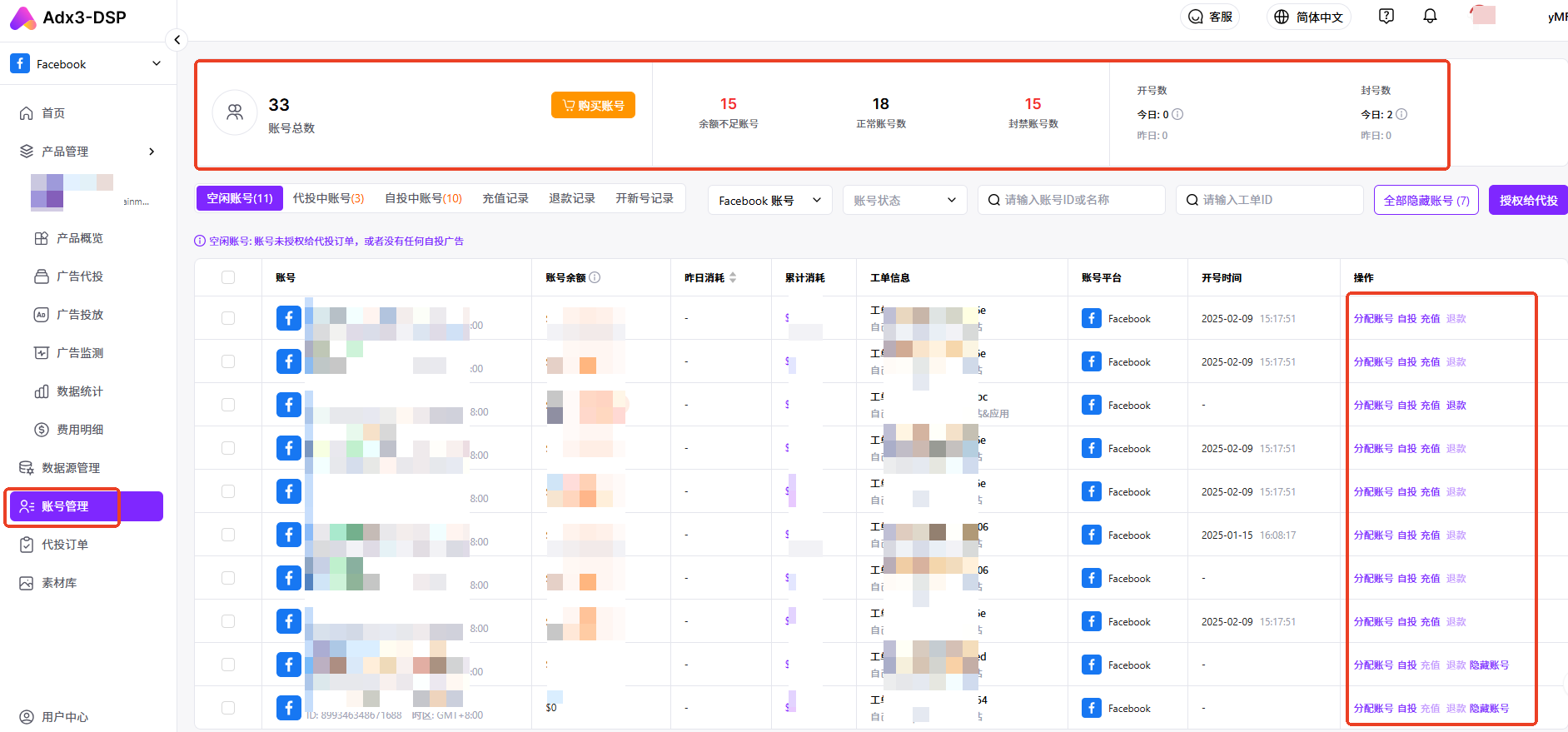
**账号管理：**&#x53EF;以在本功能模块进行“查看账号总数、余额不足账号、正常账号数、封禁账号数、空闲账号、代投中账号、自投中账号、充值记录、退款记录、开新号记录；购买账号、授权账号给代投订单、给账号充值”等操作。

<figure><img src="/files/si8DYu2olAjuwXpauHru" alt=""><figcaption><p>账号管理页面</p></figcaption></figure>

**分类说明**

| 类别    | 说明                                                                                                                                                        | 示意图                                                                 |
| ----- | --------------------------------------------------------------------------------------------------------------------------------------------------------- | ------------------------------------------------------------------- |
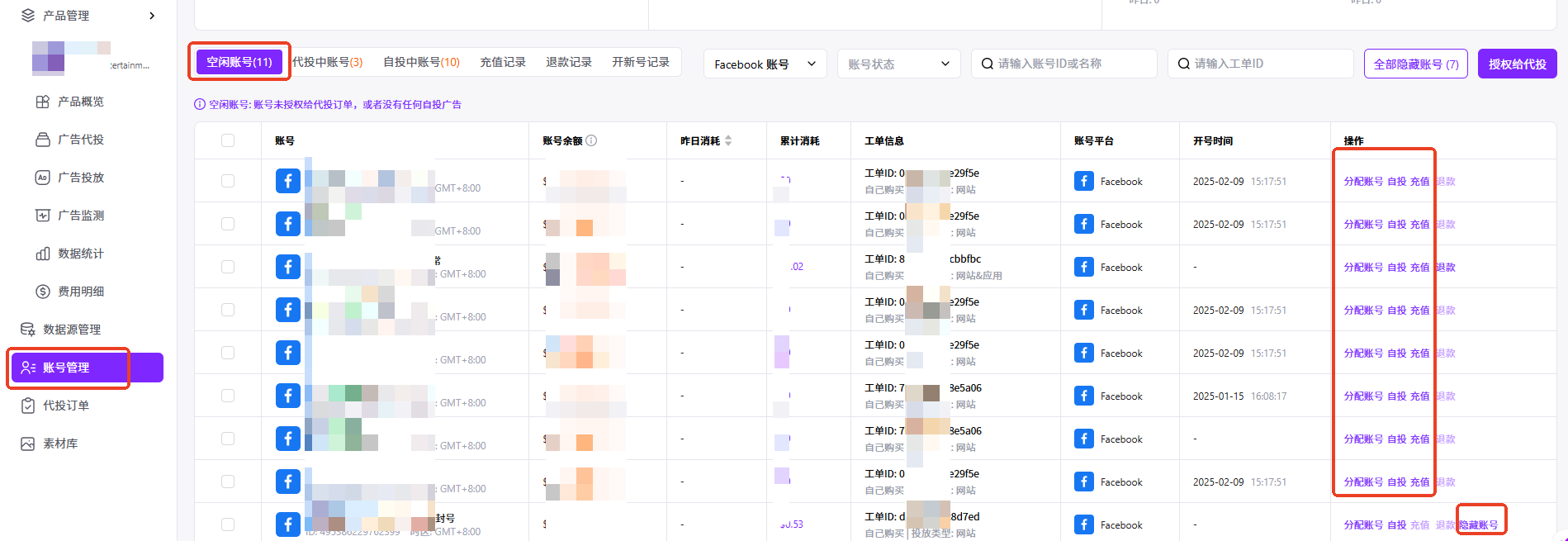
| 空闲账号  | <p>成功开号后，账号为空闲账号，顾名思义为<strong>空闲状态</strong>，可用于广告自投和代投。<br><br>可以在本页面给账号充值，或者选择隐藏已经封禁的账号。</p>                                                             | <img src="/files/x0iMyHtcu7VwLIAI1loa" alt="" data-size="original"> |
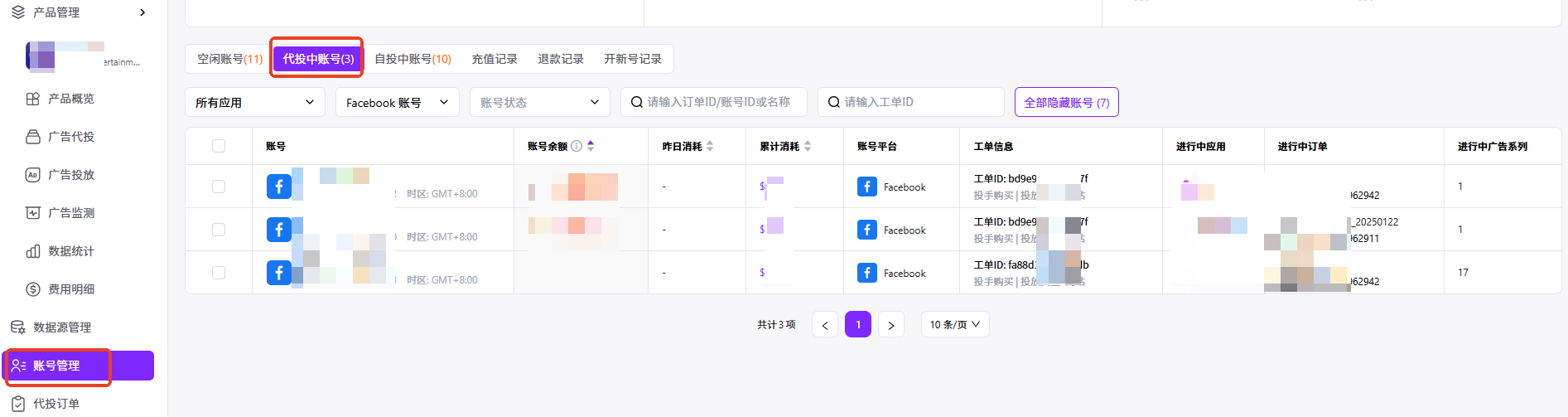
| 代投中账号 | <p>当账号分配给<strong>代投订单</strong>后，账号状态变为代投中，此时这个账号只能用于这个代投订单的广告投放。</p><p></p><p>代投订单完成后，账号及账号余额回收，账号变为空闲状态。</p>                                             | <img src="/files/L6sCupvvkNpFbpqq1HMO" alt="" data-size="original"> |
| 自投中账号 | <p>当账号<strong>用于广告自投</strong>后，不能分配给代投，投放完成后，账号变为空闲状态。</p><p></p><p>可以在此页面查看账号，给账号充值/退款，或者隐藏账号。<br><br>账号自投时，允许多个广告使用一个账号进行投放。账号自投时，允许多个广告使用一个账号进行投放。</p> | <img src="/files/mHEAlEoCjWDsPdazKkye" alt="" data-size="original"> |
| 充值记录  | 包含广告账号的充值记录                                                                                                                                               | <img src="/files/i18IVTCMy0QeHkzsqs9h" alt="" data-size="original"> |
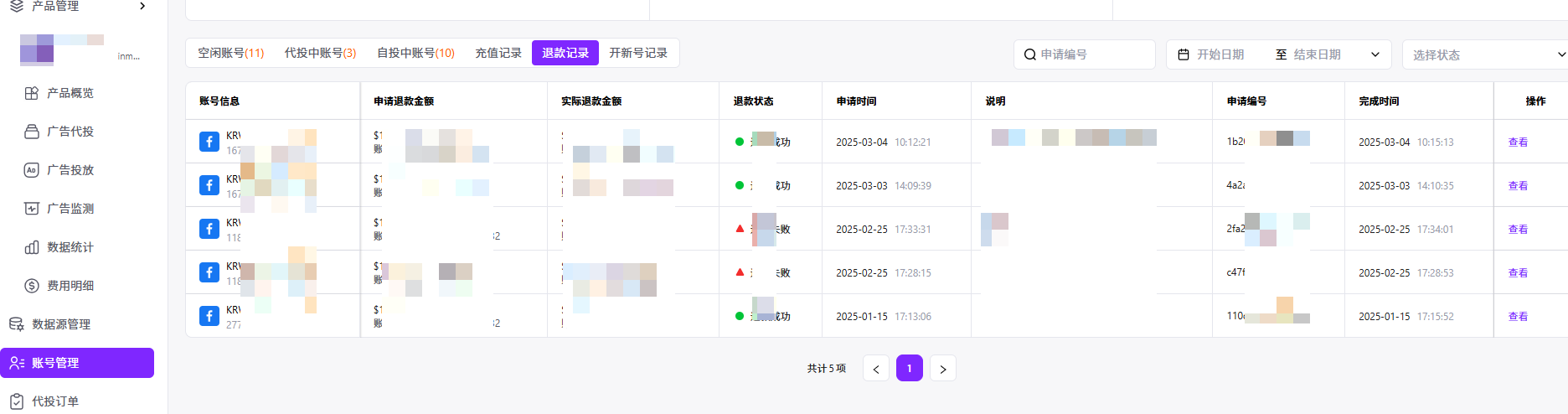
| 退款记录  | 包含广告账号的退款记录                                                                                                                                               | <img src="/files/iE7D1DTlz55mCICoyKca" alt="" data-size="original"> |
| 开新号记录 | 包含开号工单的相关记录                                                                                                                                               | <img src="/files/2exgbpRjAbBtlJpszZFI" alt="" data-size="original"> |


---

# Agent Instructions: Querying This Documentation

If you need additional information that is not directly available in this page, you can query the documentation dynamically by asking a question.

Perform an HTTP GET request on the current page URL with the `ask` query parameter:

```
GET https://docs.adx3.io/copy-of-cn/yong-hu-cao-zuo-shou-ce/yong-hu-cao-zuo-shou-ce-dspfacebook/wu-zhang-hao-guan-li.md?ask=<question>
```

The question should be specific, self-contained, and written in natural language.
The response will contain a direct answer to the question and relevant excerpts and sources from the documentation.

Use this mechanism when the answer is not explicitly present in the current page, you need clarification or additional context, or you want to retrieve related documentation sections.